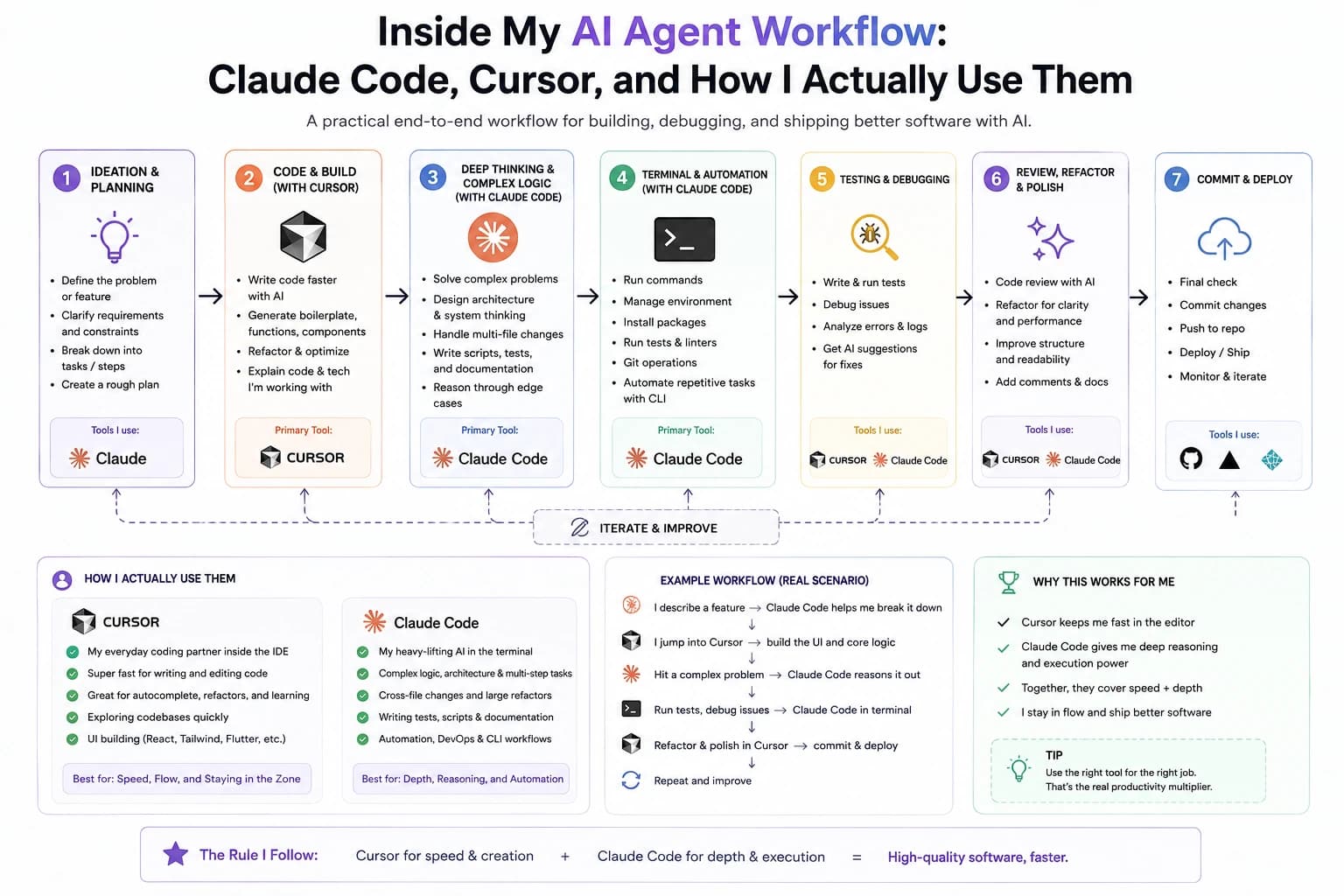
Vibe coding means directing an AI coding agent with plain-language intent and iterating on its output, instead of hand-writing every line yourself. Here's what that actually looks like in practice, and where it earns its keep.
"Vibe coding" gets used two different ways online — as a dismissive joke about typing prompts and hoping for the best, and as a real, disciplined workflow professional developers use to ship production software faster. This post is about the second one, based on how I actually build.
Where the term comes from
The phrase isn't just internet slang — it traces back to a specific, widely-cited post. AI researcher Andrej Karpathy (a founding member of OpenAI and Tesla's former AI director) used it in a viral post on X in February 2025, describing a workflow where he'd "fully give in to the vibes" and stop reading every diff the agent produced. His original post was candid about how far he took it — leaning almost entirely on natural-language prompts, sometimes dictated by voice, and accepting AI output with minimal manual review. That's the loose, no-review end of the spectrum. The disciplined version most professional developers actually use — the one this post is about — keeps the same natural-language workflow but puts the review step back in.
What vibe coding actually means
In practice, vibe coding is describing your intent to an AI coding agent — what a component should do, what a bug's symptom is, what a page should look like — and reviewing/iterating on what it produces, rather than typing every line by hand. The agent reads the existing codebase, makes the change, and you verify it. It's still your architecture, your decisions, your review — the agent is doing the typing and the first pass of pattern-matching.
The failure mode isn't "the AI wrote bad code" — it's accepting a large, unreviewed diff. Small steps with a review in between are what make this workflow reliable.
Where it works well
- Scaffolding new pages, routes, and components that follow an existing pattern in the codebase
- Repetitive, mechanical changes across many files (renames, prop threading, consistent styling updates)
- First-pass UI implementation from a design or a rough description
- Debugging — an agent can grep, read, and trace a stack faster than switching files by hand
Where it doesn't
- Deciding the architecture itself — the agent will happily build the wrong thing well
- Security-sensitive code (auth, payments, data access) without a careful manual review
- Anything where you can't clearly describe what "correct" looks like
- Deeply stateful or distributed systems — an agent can draft one piece convincingly without reasoning about the system-wide consequences
The projects on this site built in a handful of days — MagicMond Global among them — weren't built by trusting the agent blindly. They were built by keeping the loop tight: describe one change, read the diff, run it, move on. That loop is the actual skill, not the prompt.
Frequently asked questions
Do you need to know how to code to try vibe coding?
Not to get started — you can describe an interface in plain language and get something working. But without any coding background, you'll struggle to judge whether what the agent produced is actually correct, secure, or maintainable. The less you know, the more you're trusting the output at face value.
How is this different from autocomplete tools?
Inline autocomplete completes what you're already typing, one suggestion at a time. Vibe coding flips the direction — you describe the outcome, and the agent writes the whole change: new files, multiple edits, sometimes a full feature, not just the next few characters.
Is code built this way safe to ship to production?
For prototypes and internal tools, yes, with normal review. For anything touching auth, payments, or user data, AI-generated code needs the same scrutiny hand-written code would get — vibe coding speeds up the first draft, it doesn't replace review.
What tools do people actually use for this?
Claude Code, Cursor, GitHub Copilot, and Replit come up most often. Each fits a different habit — terminal-first, editor-integrated, or fully hosted in the browser — but they're all running the same basic loop underneath.